
Make Every
Click Count
Take complete control of your mouse, trackball, and workflow.
Create custom shortcuts, launch apps, switch desktops, control media, and automate repetitive actions — all from your favorite device.
Great for
Developers

Designers
Video Editors

Productivity
Why ClickForge?

🎯 Customize Every Button
Launch apps, open folders, trigger shortcuts, control media, and streamline repetitive tasks with a single click.

🖱️ Advanced Trackball Support
Fine-tune sensitivity, scrolling behavior, acceleration, and button mappings for maximum comfort and precision.

⚡ Boost Productivity
Turn complex workflows into simple button presses and save valuable time every day.
📚 Multiple Profiles
Instantly switch between coding, design, editing, gaming, or productivity setups tailored to your needs.
Keep Awake for
Teams and Slack
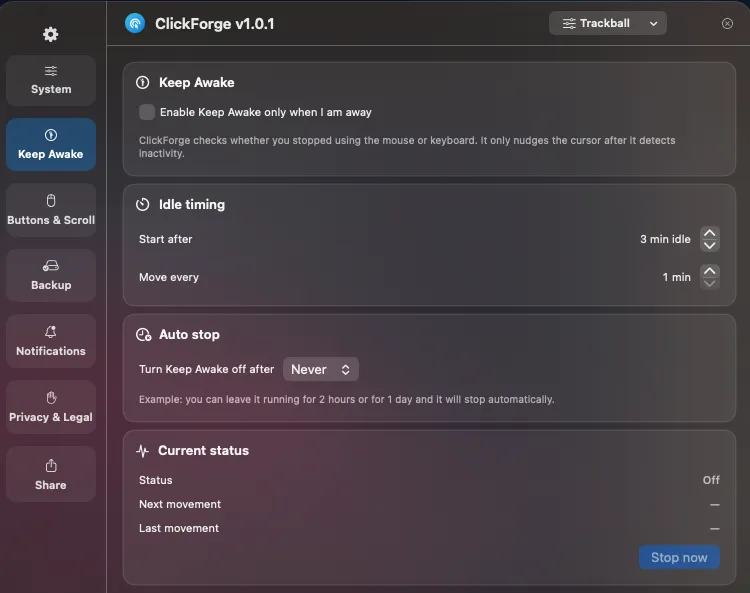
Stay active and available in Microsoft Teams and Slack while you focus on what matters. Whether you’re reading documentation, attending long meetings, monitoring builds, or thinking through a solution, ClickForge keeps your status active without interrupting your workflow.
Highlights
✅ Minimal CPU usage
✅ Stay Active in Teams & Slack
✅ Custom idle timing
✅ Auto stop when you choose
Your Mouse.
Your Commands.
One Button Away.
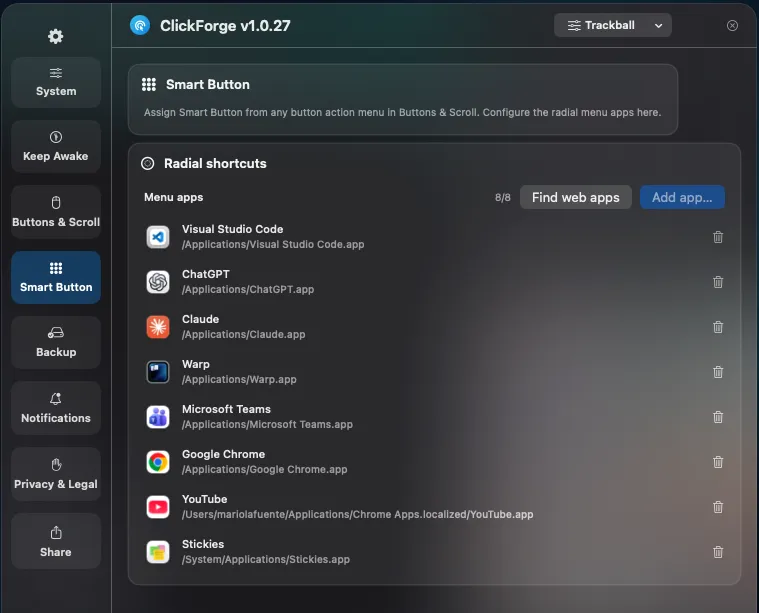
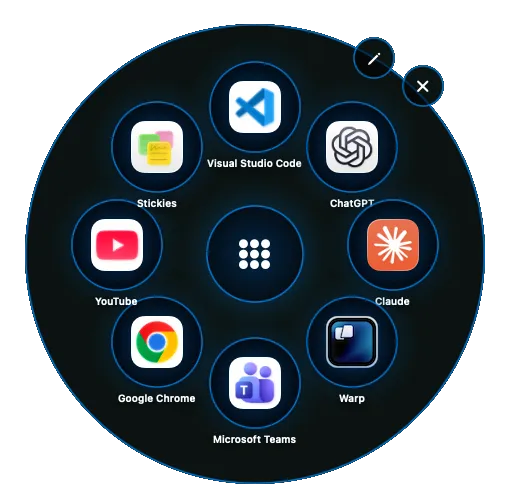
Choose which apps appear in your Smart Button radial menu. Add, remove, and organize your favorite applications for instant access.
Highlights
✅ Launch Your Favorite Apps
Open your most-used applications from a single button.
✅ Custom Radial Menu
Build and organize your own circular launcher. ✅Fast & Intuitive Access
Reach your tools without searching through the Dock or Start Menu.
Missing Programmable Buttons?
Many trackballs deliver excellent comfort and precision but offer limited customization options.
🖱️ Button Mapping
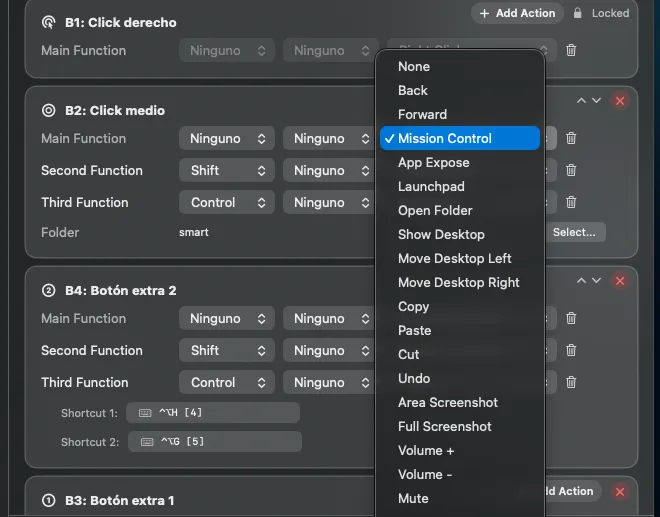
Assign keyboard shortcuts, launch applications, open folders, control macOS features, and automate repetitive actions with a single click.
Features
- Map any button to custom shortcuts
- Mission Control
- Open folders
- Launch applications
⚙️ Smart Scrolling
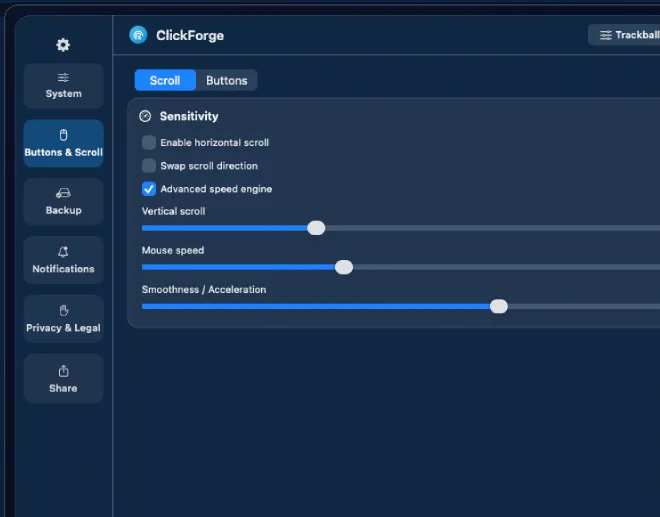
Control volume, switch desktops, navigate horizontally, and create custom scrolling behaviors tailored to your workflow.
- Features
- Horizontal scrolling
- Volume control
- Desktop switching
- Precision adjustments
- Custom scroll actions
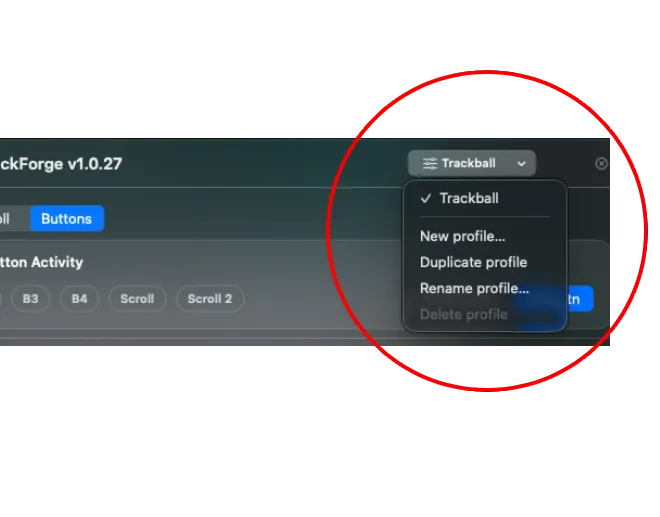
👤 Profiles
Instantly switch between personalized profiles and keep your ideal setup ready for coding, design, editing, gaming, or everyday work.
- Features
- Work
- Design
- Development
- Gaming
- And more…
Program your mouse
to act the same in Mac and PC
One setup. Any device. Consistent behavior everywhere.
Choose the plan that fits your workflow
Start free. Upgrade anytime with a one-time purchase.
Free
$0
Try ClickForge before buying and test Full access for 14 days.
- ✓ Trial access for 14 days
- ✓ Core button mapping
- ✓ Scroll and pointer tuning
- ✓ Profile switching
- ✓ Works with Mac & Windows
Pro
$15
one-time
Core paid version for users who want stable power features.
- ✓ Core button mapping
- ✓ Scroll and pointer tuning
- ✓ Profile switching
- ✓ Works with Mac & Windows
Pro Plus
$22
one-time
Best for power users who want more profiles, transfer tools, and ongoing updates.
- Everything in Pro, plus:
- ✓ Multiple profiles
- ✓ Backup import and export
- ✓ Access to future updates
FAQ
Everything you need to know before downloading and activating ClickForge.
Yes. You can download ClickForge for free and start with a 14-day trial before upgrading.
No account is required to download and try ClickForge.
After the trial ends, you can activate Pro or Pro Plus with your license key to unlock paid features.
Yes. Install the app, open it, and activate your license key directly inside ClickForge.
No. ClickForge is privacy-first and local-first. Settings stay on the device and no personal data is collected.
It is required so ClickForge can recognize extra buttons, remap actions, and control behavior across macOS correctly.
Yes. Trackball workflows are a core use case, especially for users who need precise tuning and better button control.
Yes. You can create different settings for apps, workflows, and devices depending on your plan.
ClickForge is designed to stay lightweight and focused, minimizing unnecessary overhead.
Powerful mouse and trackball customization for macOS and Windows. Turn every button into a productivity tool.